
Your guest book builds itself
There’s no “add a guest” form on Karamu, and that’s the point. Every time you take a booking, seat a walk-in, or seat a party off the waitlist, Karamu creates their guest profile for you — keyed to their phone number. The Guests page says it plainly: guests appear here automatically once you start taking bookings.
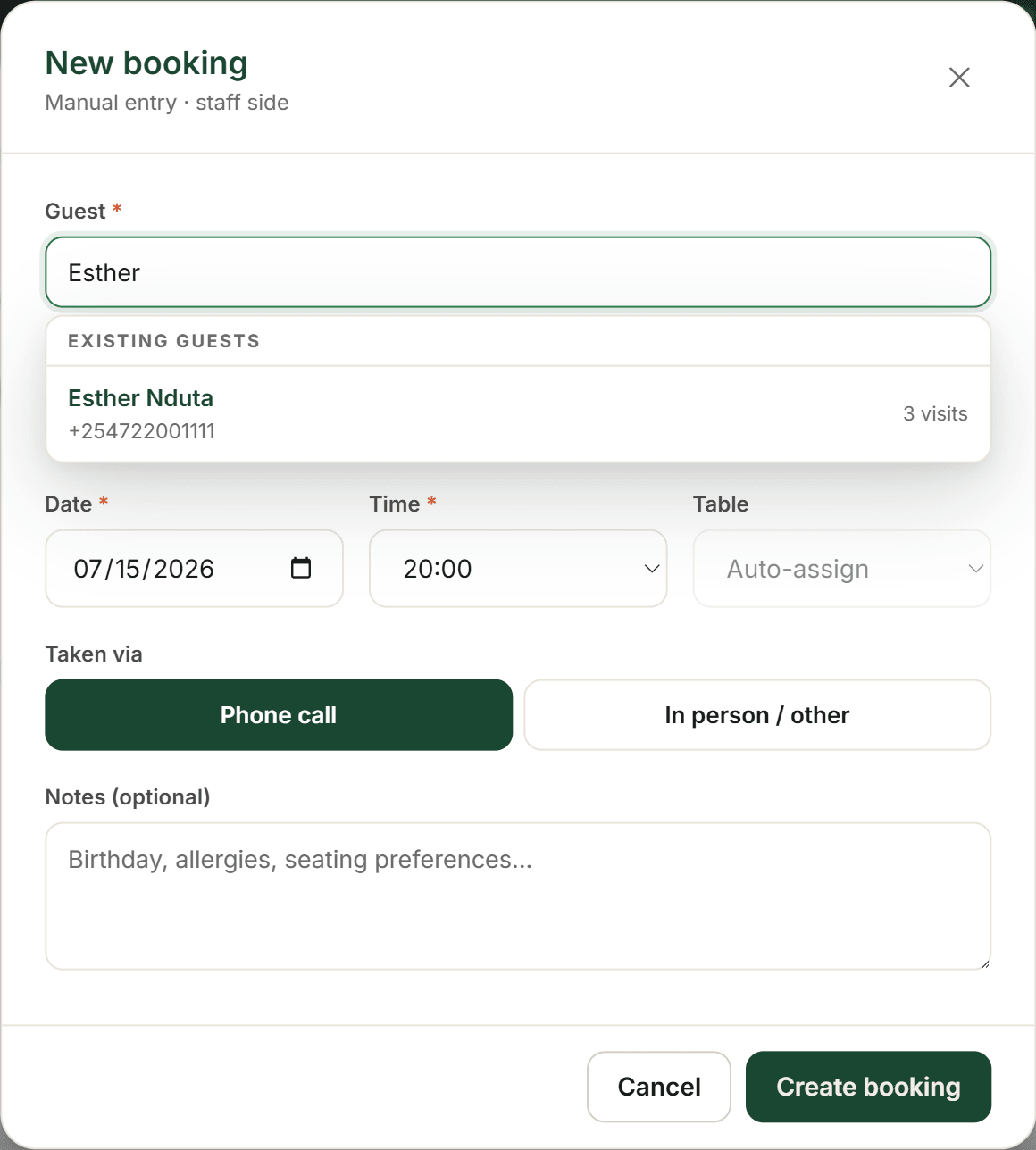
Because the phone is the key, the same guest is never doubled up. When you take a booking from the New booking modal, an Existing guests list surfaces the match as you type their name — so a returning guest is linked, not re-created. Book Esther tonight, and when she books again next month from the same number, it’s one profile with two visits, not two Esthers. Those bookings come straight off your booking page.
- Take bookings and seat parties — New booking, Walk-ins, the Waitlist
- Karamu creates each guest for you, keyed to their phone
- Returning guests match under Existing guests — one profile, never a duplicate
Founder tip: You never have to “import” new bookings — the book grows on its own as you work. The only thing you bring over is your history, and that’s the next step.
Bring your paper book
That leaves your history — the regulars already living in a notebook, a spreadsheet, or last year’s diary. There’s no upload button, and you won’t need one: bringing your history over is something we do with you, not a form you fill in. On your kickoff call, hand us the paper book or the sheet, and a founder enters it alongside you — up to 500 bookings, free.
And because every booking is keyed to a phone, the migration de-duplicates itself as it goes. A guest who appears three times in your old book lands as one profile with three visits — no cleanup afterwards, no merging by hand. Whatever guests you carry over are the same ones your booking page will recognise the moment they book again.
- Bring your paper book or spreadsheet to your kickoff call
- A founder enters up to 500 bookings with you — free
- History de-duplicates by phone as it comes in — no cleanup afterwards
Founder tip: Don’t tidy your old book first — send it exactly as it is. Messy is fine: duplicate entries and inconsistent names all collapse to one profile per phone once they’re in.
Tag your regulars & VIPs
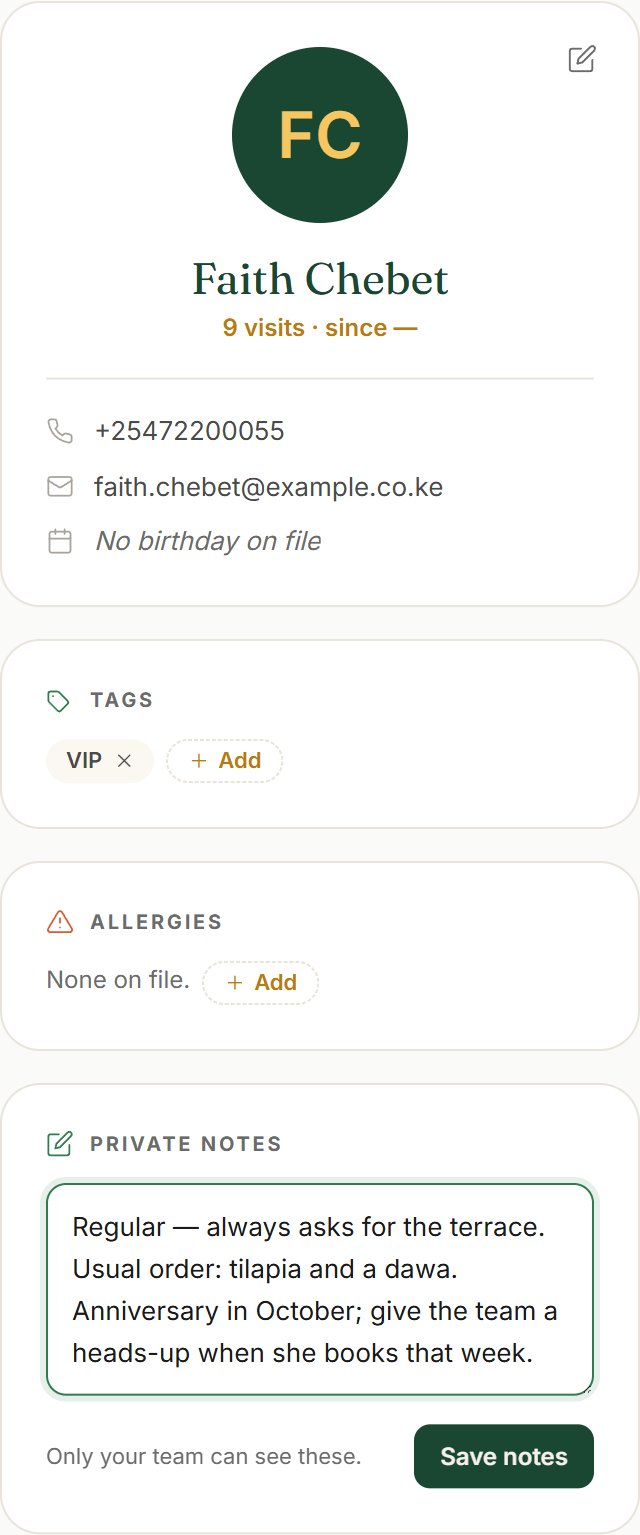
Open any guest to build their profile. Under Tags, press Add and type a New tag… — VIP, Regular, Terrace, whatever your floor actually calls people. Tags are yours to invent and reuse; there’s no fixed “VIP” switch, just the labels you make.
One tag Karamu adds for you: No-show risk, applied automatically once a guest reaches two no-shows. It’s a heads-up you can’t set or clear by hand — the record earns it.
Private notes (“Only your team can see these.”) hold the things that make a regular feel known — a usual order, a seating preference, an anniversary. Allergies are separate and staff-only, and a Birthday both shows on the profile and powers the Birthdays filter on the guest list.
- Add your own tags with New tag… — VIP, Regular, and the rest
- Let No-show risk flag itself at two no-shows
- Keep a guest known with Private notes, Allergies and a Birthday
Founder tip: Private notes are the difference between “table for two” and “the Wednesday couple who love table 5”. Jot them the moment you learn them — it’s what turns a booking system into a little black book.
Work the list
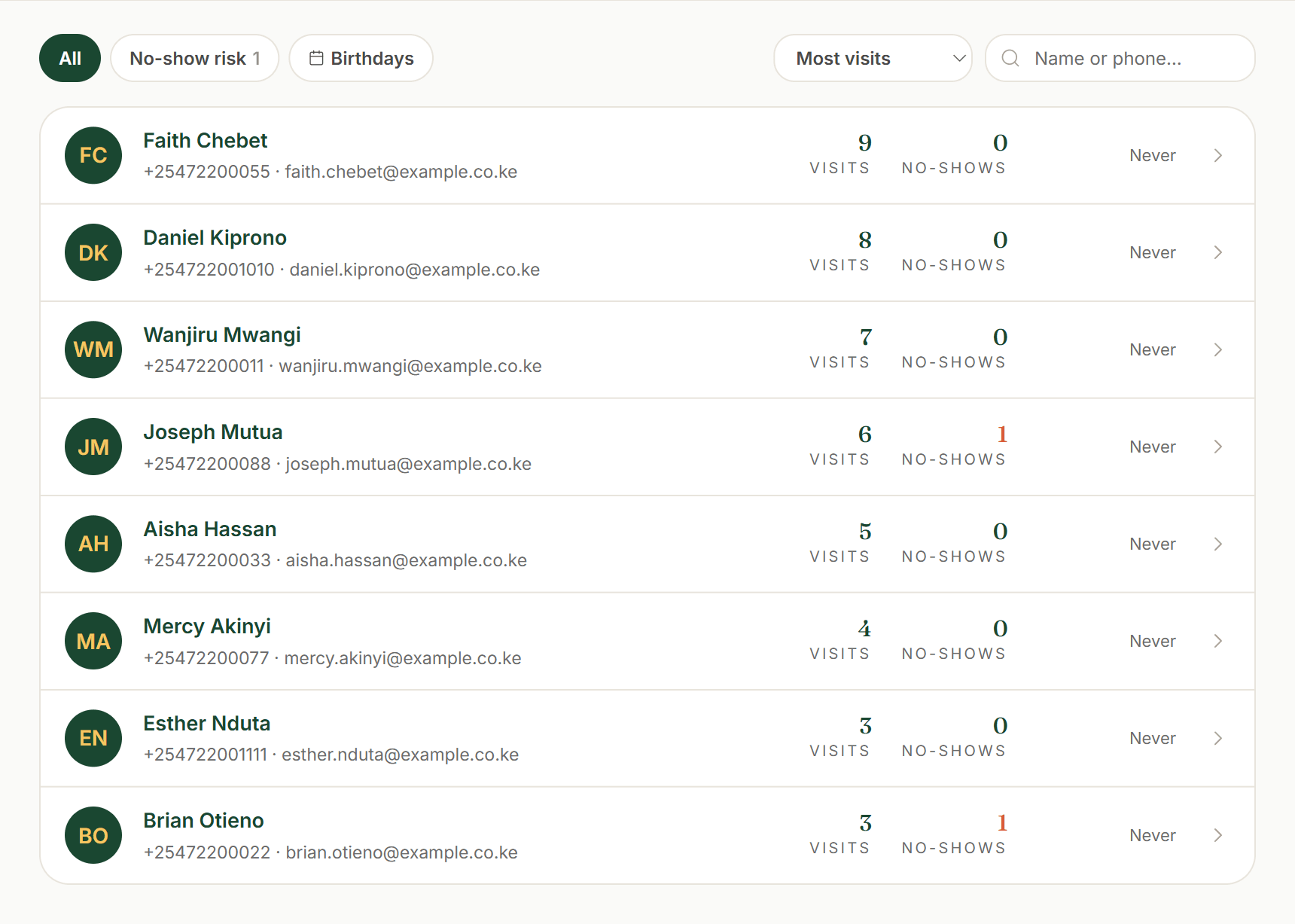
Back on the Guests page, the whole book is searchable and sortable. Search a “Name or phone…”, filter by any tag you’ve made (and the automatic No-show risk), or tap Birthdays to see whose birthday lands this month. Sort by Recently seen, Most visits, Most no-shows or Name (A–Z) to bring the right guests to the top.
Export gives you the current view as a CSV — the same guests, filters and all — to take into a mail-out or keep as a backup. It’s the one bulk action here, and it goes the other way: your guest book is always yours to take with you.
- Search by name or phone; filter by a tag or Birthdays
- Sort by Recently seen, Most visits, Most no-shows or Name (A–Z)
- Export the current view to CSV whenever you need it
Founder tip: Sort by Most visits before a big night to spot your regulars, or Most no-shows to see who’s worth asking for a deposit. The guest book is a seating tool, not just a list.