
Meet your automated messages
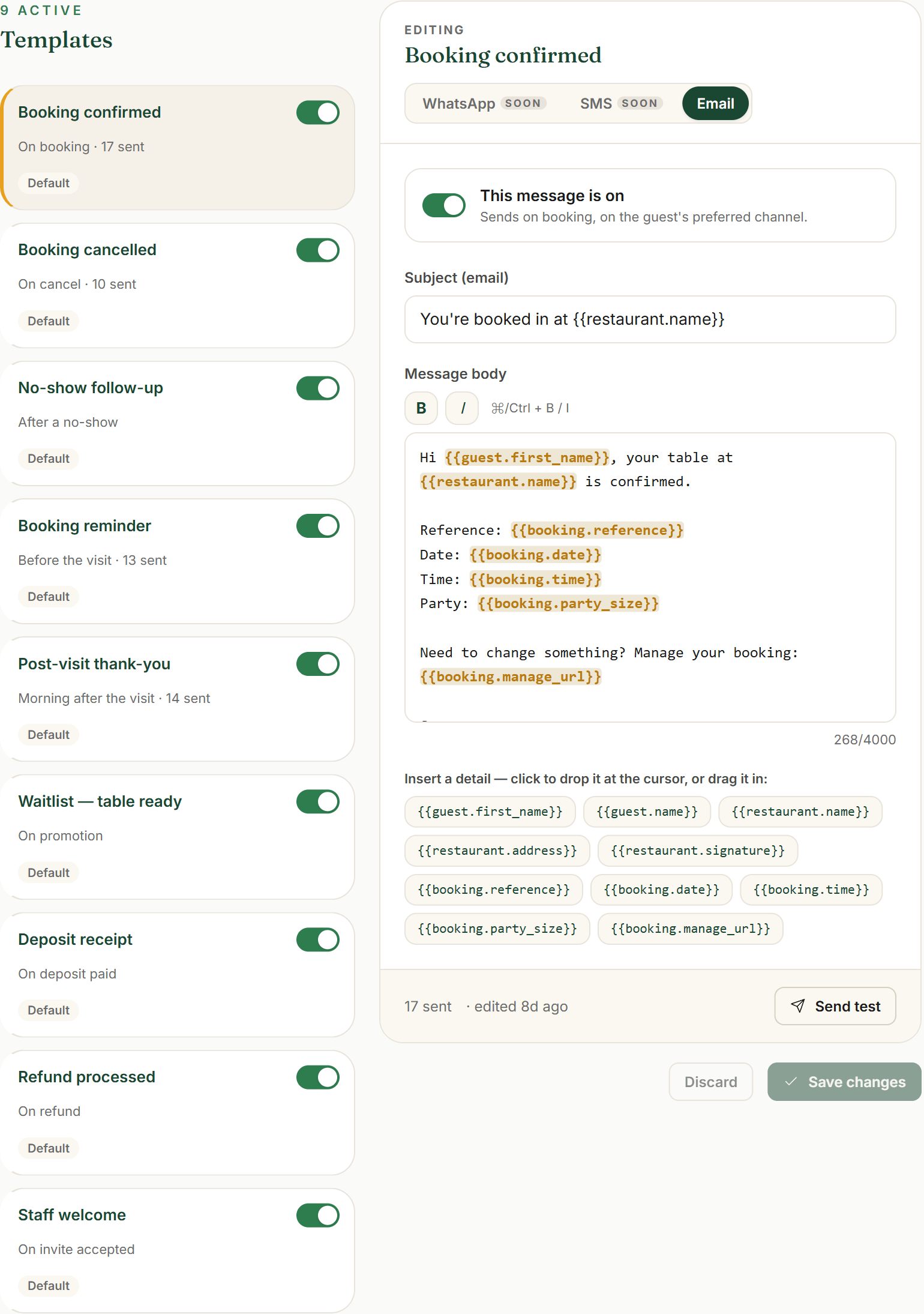
Karamu already writes to your guests for you. Open Settings → Message templates (the page is headed Message templates, “Automated guest & staff messages”). Each row is one message Karamu sends on its own: Booking confirmed, Booking reminder, Booking cancelled, No-show follow-up, Post-visit thank-you, Deposit receipt and more — plus a Staff welcome for the team. The header counts how many are switched on.
Every message has an on/off. Click one to open it, and the This message is on toggle turns it off org-wide if you don’t want it — the dashboard asks you to confirm first, since switching a message off stops it for every booking. A template reads Default until you change its wording, then Customised. Most pilots leave the whole set on and go from there.
- Open Settings → Message templates
- See your automated messages — confirmations, reminders and receipts
- Use This message is on to switch any one on or off
Founder tip: Leave the default set on. Every one of these is a message a guest expects — a confirmation, a reminder, a thank-you — and the wording is already solid, so you can go live without touching a word.
Make them sound like you
Pick a template to edit it in the middle column. Change the Subject (email) and the Message body so they read the way you’d actually say it. To drop in a guest’s name or a booking detail, use the merge-tag chips under “Insert a detail — click to drop it at the cursor, or drag it in:” — a chip like {{guest.first_name}} becomes the real name on send, and the toolbar’s B / I handle bold and italic.
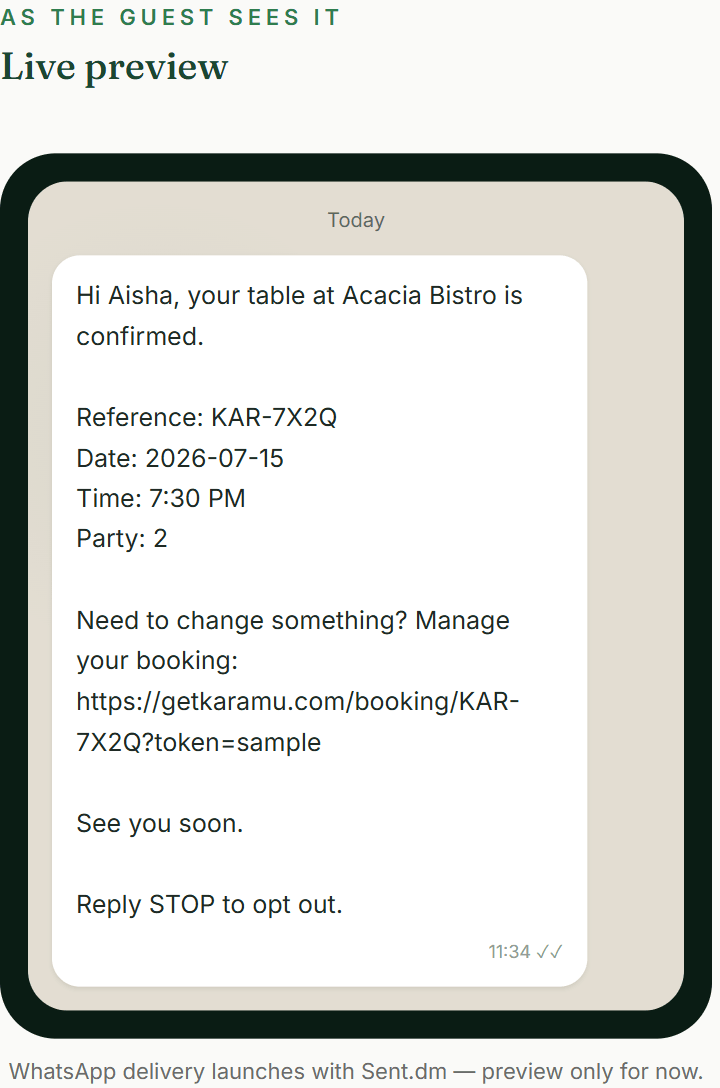
The right column is a live preview — “As the guest sees it” — so you’re never guessing. Send test emails the saved version to one address, so you can read it in your own inbox before a single guest does. Changed your mind? Reset to default puts Karamu’s wording back any time.
- Edit the Subject (email) and Message body
- Drop in a name or booking detail with the merge-tag chips
- Send test to your own inbox to proof it
- Reset to default whenever you want Karamu’s wording back
Founder tip: A light touch goes furthest: your restaurant’s name, a warm sign-off, maybe a line about parking. You don’t need to rewrite the message — just make it sound like the person who’d greet the guest at the door.
What your guests get today — and what’s coming
Today, every one of these goes out by email — it’s the one guest channel that’s live. A guest’s email is optional when they book, so collect it whenever you can: it’s how they get their confirmation, their reminder and their deposit receipt right now. Your booking page and your M-Pesa deposit receipts ride these same emails.
Reminders are automatic and on a fixed rhythm — the day before at 10:00, and again about two hours before the table. You don’t set the timing anywhere; Karamu runs it for every confirmed booking so no one has to remember.
WhatsApp and SMS are built and previewable — you’ll see them marked Soon on the channel tabs, with a preview that reads “WhatsApp delivery launches with Sent.dm — preview only for now.” — but they’re not delivering yet. They switch on once your templates are approved with our messaging partner (a WhatsApp business-template approval we run with you, not a button in the dashboard). Until then nothing is faked: a message that can’t go yet is recorded honestly, never shown as delivered.
- Collect a guest email whenever you can — it’s the live channel
- Trust the reminder rhythm — the day before at 10:00, then ~2 hours out
- Preview WhatsApp & SMS now; they deliver once your templates are approved
Founder tip: Email alone is enough to go live and cut no-shows — the reminders do the heavy lifting. WhatsApp and SMS are a bonus that turns on later, not a box you have to tick before your first booking.
Watch every message in Messages
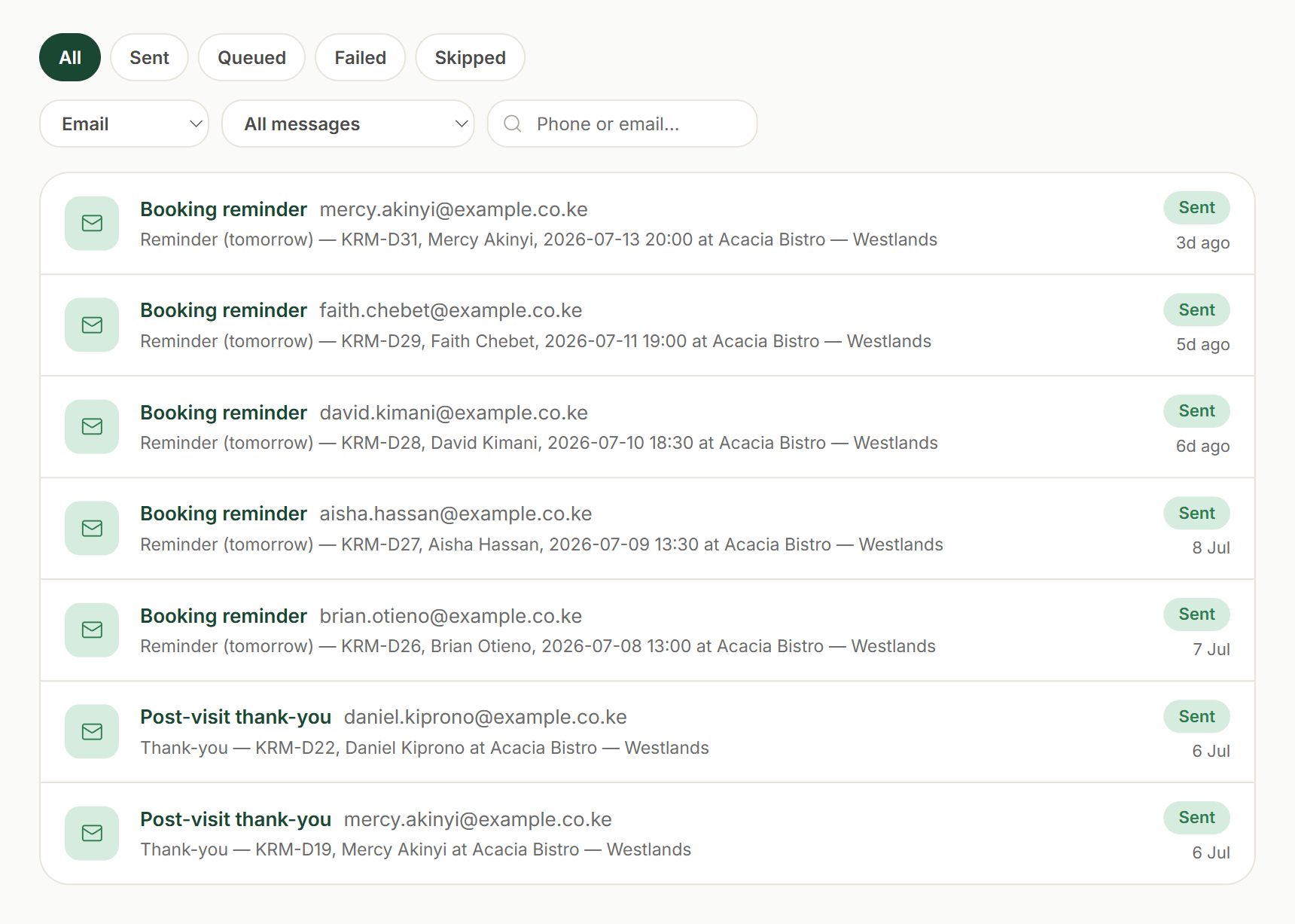
Open Messages from the sidebar (“Sent confirmations, reminders & receipts”) and you’ll see the log of everything Karamu has tried to send, newest first. Filter by status — All, Sent, Queued, Failed, Skipped — by channel, or search a “Phone or email…” to pull up one guest.
It’s honest by construction. A Sent row really went out. A Skipped row is one Karamu deliberately didn’t send — a guest with no email on file, or a channel that isn’t wired yet — never a delivery we invented. So the log always matches what your guests actually received.
- Open Messages from the sidebar
- Filter by All / Sent / Queued / Failed / Skipped, channel or search
- Read a Skipped row as an honest “we didn’t send”, never a fake delivery
Founder tip: If a guest ever says they didn’t get their confirmation, check here first. A Skipped row almost always means there was no email on file — take it next time, and they’re covered.